Workforce management software for temporary crews in Michigan
Workforce management software ensures that a Michigan temp crew's schedules, clock-ins, attendance and timesheets are all kept in a single record so the hours you approve reflect what actually occurred on the floor. RHO Hiring includes it as part of every staffing account: we configure it and maintain it, and your team members approve hours and review the reports. Call (248) 843-0000.
Need workers? Call248-843-0000A manager usually calls back within a couple of hoursWhat does workforce management software do for a temp crew?
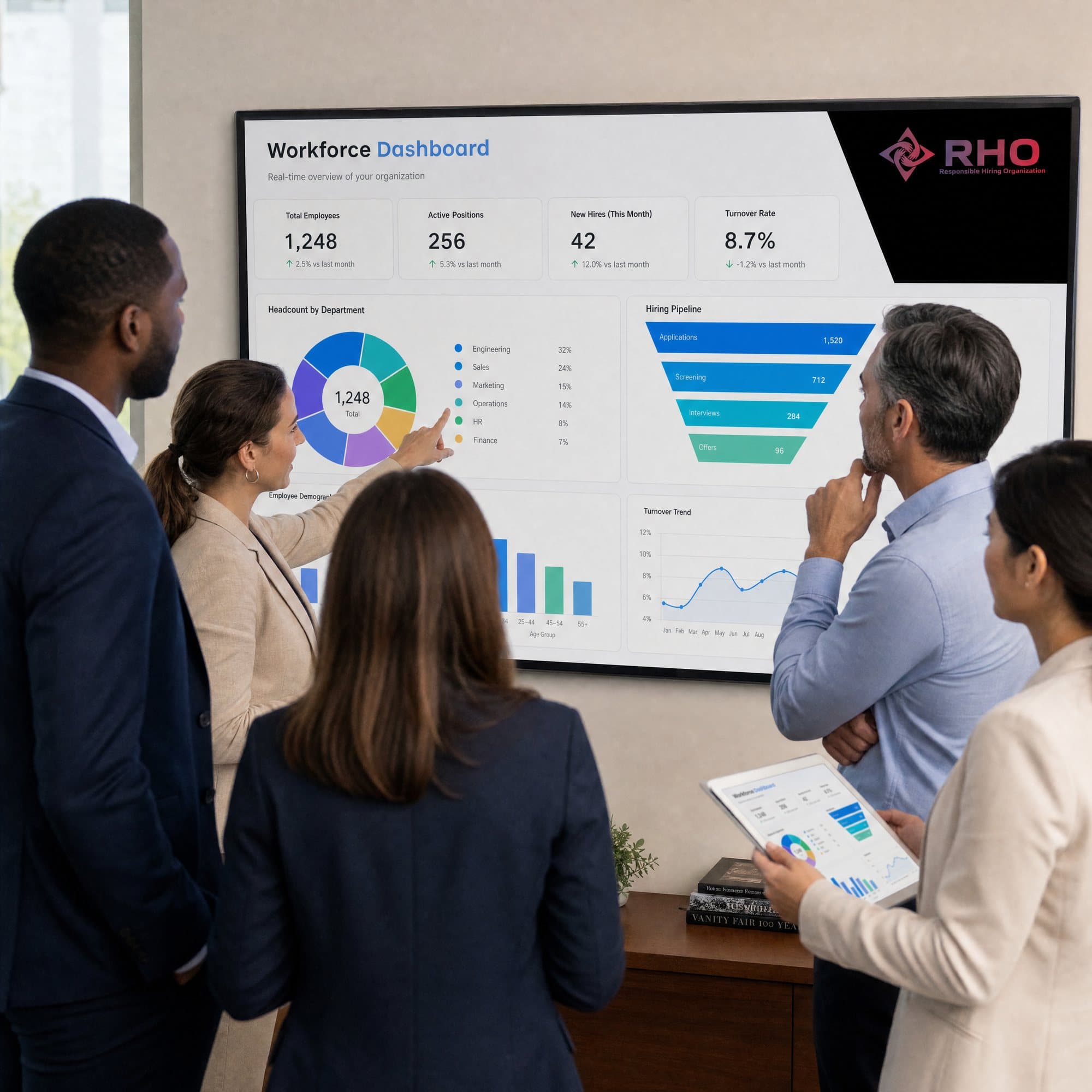
Workforce management software keeps track of the little pieces of information your temps create each day: who's on which shift, who showed up, who was tardy, who didn't show, how many hours everyone worked and how many of the people you requested actually began work. When those pieces of information exist on paper sign-in sheets and text messages and in a spreadsheet that someone updates on Friday, errors are introduced and you learn about problems after the fact. RHO Hiring stores them in its workforce software so that each item of information is entered once and accessible wherever it's needed.
The software maintains shift schedules for the workers we place according to shift and department. These workers punch in and out. Each shift's attendance report lists who was on time, who was late and who called off or didn't show. These records turn into the timesheets your team reviews and approves. The approved hours are what RHO pays the workers for, and bills you for. The same records populate head count and fill reports as well as the attendance and turnover trends we discuss with you.
If an assigned worker is missing when they should have clocked in, the system notifies RHO and we begin work on a replacement immediately upon notification. This notification is sent to the individuals responsible for your account, not to one of your supervisors who is busy starting the line.
People use the software. Your RHO manager programs it around your facility, and where the account has them, RHO's on-site supervisors and account team use it every shift. Your involvement is minimal: approve the week's hours using the RHO client portal, review the reports and tell us what the numbers can't convey.
One record for the whole crew
All schedules, clock-ins, attendance records, timesheets and reports for the workers RHO places. Everything kept together and matched up with each other.
People behind the screen
Your RHO manager and supervisors operate the system and react to what it flags, so you don't have to.
What does RHO's workforce software track?
Shift schedules
Who works what shift, in what department, for each individual worker RHO places at your location.
Clock-in and clock-out
A record of when each worker started and finished every shift.
Attendance records
On time, tardy, called off or did not show up, retained for each shift and individual worker.
No-show alerts
When an employee misses a clock-in, the RHO team is notified so that we can begin work on a substitute immediately.
Timesheets for your approval
Total hours by employee compiled from their clock-in records, ready for your review and approval prior to invoicing.
Head count and fill reports
Number of workers requested per shift versus the number who clocked in.
Attendance and turnover trends
Trends by week and month, by shift and department, that we analyze with you.
Worker history at your site
Start dates, assignments and how long each employee has been on assignment, helpful when you need to determine whom to hire.
How it's set up for your account
Mix them as your floor needs. Your manager sets it up with you.
- 1Single site or several
Single facility, or multiple sites with records kept by location and reported together or individually.
- 2Every shift you run
Day, night and weekend shifts scheduled and tracked identically, including 10-hour shifts and 12-hour shifts.
- 3Who approves what
Either one manager approves all timesheets or department supervisors approve their own crew's hours.
- 4With RHO people on site
Where RHO supervisors or on-site account teams are used, they maintain records throughout the shift.
Signs your temporary workforce needs better records
- Sign-in sheets get lost, smudged or filled in after the fact
- Hours on the invoice don't match what your supervisors remember
- You learn about a no-show after the line has started
- You can't know how many of the workers ordered last week actually showed up.
- Every department tracks temporary workers its own way
From your call to a full shift
One call. Workers who are matched to your specific floor. A team that stays on the account.
Tell us what you need
Call 248-843-0000, or send the request form: the roles, how many people, the shifts and the start date.
We learn your floor
We learn your workflow, shifts, volume and site rules, allowing us to match workers to the work, rather than just a job title.
Matched and prepared
Employees are vetted for reliability, trained in safety and briefed on your site's expectations before arriving on-site.
Managed on the job
We keep a team on the account. We follow up with your supervisors and swap or add people quickly.
Why workforce software works better with RHO Hiring's staffing
Records your team can check
Timesheets are delivered to you for approval, so you only pay for hours you've reviewed.
Alerts that reach someone who acts
A missed clock-in goes to the RHO team assigned to your account and they begin working on the replacement.
Numbers explained by people
Your RHO manager reviews the reports with you and discusses the reasons behind them.
Locally owned in Southfield
Not a franchise. The owners answer for every placement.
“We, as owners, come in and work directly with our clients.”
 Vadym MakoveyCo-Founder, RHO Hiring
- Locally owned, not a franchiseNo franchise fees. No remote head office. The company you call is the company that staffs your floor.
- The owners on your accountVadym Makovey, George Makovey and Jackson Siersma work directly with our clients and are answerable for every placement.
- A management team that staysOur dedicated team follows up with your supervisors and resolves issues quickly so they don't cost you shifts.
Workforce management software questions
Don’t see yours? Call 248-843-0000 and a manager will answer it.
What is workforce management software, and what does RHO's do?
Workforce management software schedules an hourly workforce, tracks its time and attendance and reports on it. RHO's software does all that, keeping track of shift schedules, clock-in and clock-out times, attendance records and timesheets for the workers RHO places at your site. It turns all that data into head count, fill, attendance and turnover reports. When a scheduled worker does not clock in, it automatically notifies the RHO team so they can send a replacement.
What does our team have to do in it?
Not much. RHO configures it and manages it. Your responsibility is to review and approve timesheets and examine the reports. Your RHO manager will demonstrate to your team how that works when the account is created.
Can we use RHO's workforce software for our own employees?
No. It only covers the employees RHO places. If you provide us with your own numbers (permanent head count, total overtime, etc.), we can compare the temporary crew against that.
Is the software an extra cost?
It falls under how RHO operates your account, from temporary staffing all the way to a managed staffing program. Everything that is included and how your account will be priced is detailed in your proposal prior to implementation.
Does the software replace RHO's managers and supervisors?
No. The software monitors and alerts, and people act on it. Your RHO manager, and (on larger accounts) RHO's shift supervisors and on-site account team, use the information to know what's happening on your floor and correct issues.
Can we see records for more than one site?
Yes. If RHO staffs multiple facilities for you, records are maintained by site. Reports can be run for each facility individually or combined.
Dependable people for your facility

Related services
All workforce management services- Time & Attendance TrackingClock-ins and attendance tracked for all RHO employees. Timesheets are reviewed and approved by your team prior to billing for hours.
- Workforce Analytics & ReportingHead count, fill, attendance, turnover and overtime reports for employees placed by RHO, created using RHO's workforce management software and explained by your manager.
- On-Site Supervisor TeamRHO supervisors who lead the RHO workers at your site on each shift. They work with your supervisors and are supported by RHO's account team.
Need workers? Request a call
Please leave your name and number and a manager will call you back, typically within a couple of hours. Or call now.
Call RHO248-843-0000- A manager calls you back
- Day, night and weekend shifts
- Locally owned, not a franchise
Your details
Only your name and phone number are required.